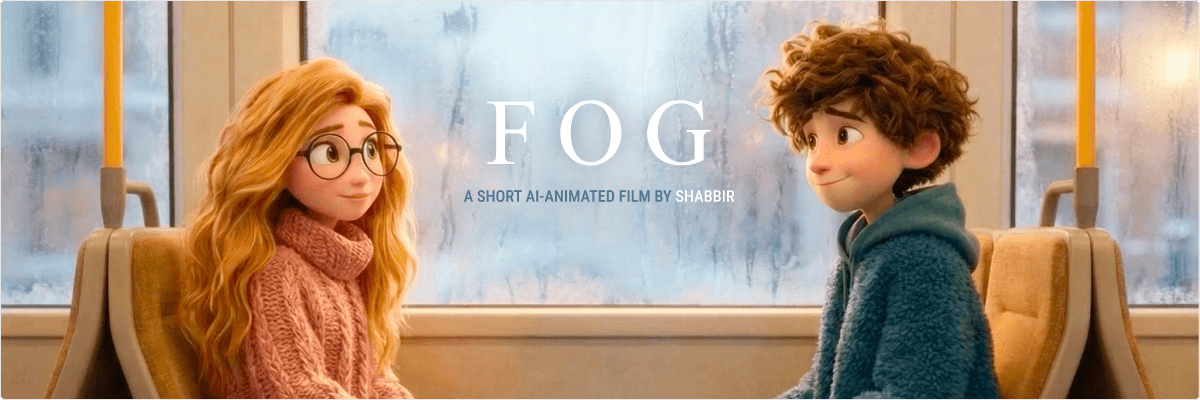

I recently finished a short AI-animated film called FOG, a quiet love story that unfolds inside a winter tram, told through tiny drawings on a fogged window. It starts playful and sweet, and ends with a small, haunting twist that lingers.
This blog is a behind-the-scenes look at how I started, what I learned, and what my next steps are as I continue exploring AI animation.
First things first! watch it if you haven’t already 🎬✨ 😎
Why I started
The core idea of the film
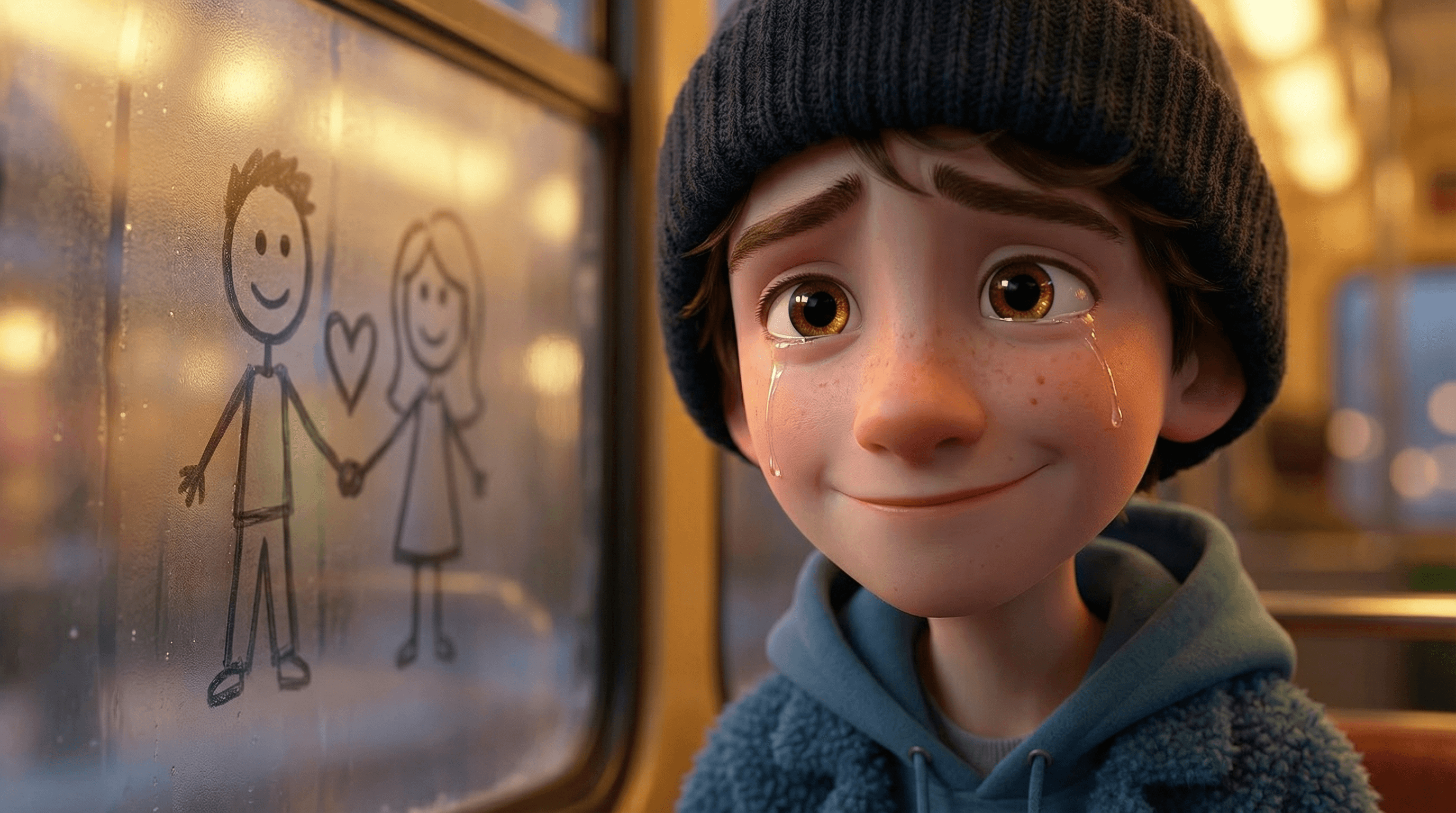
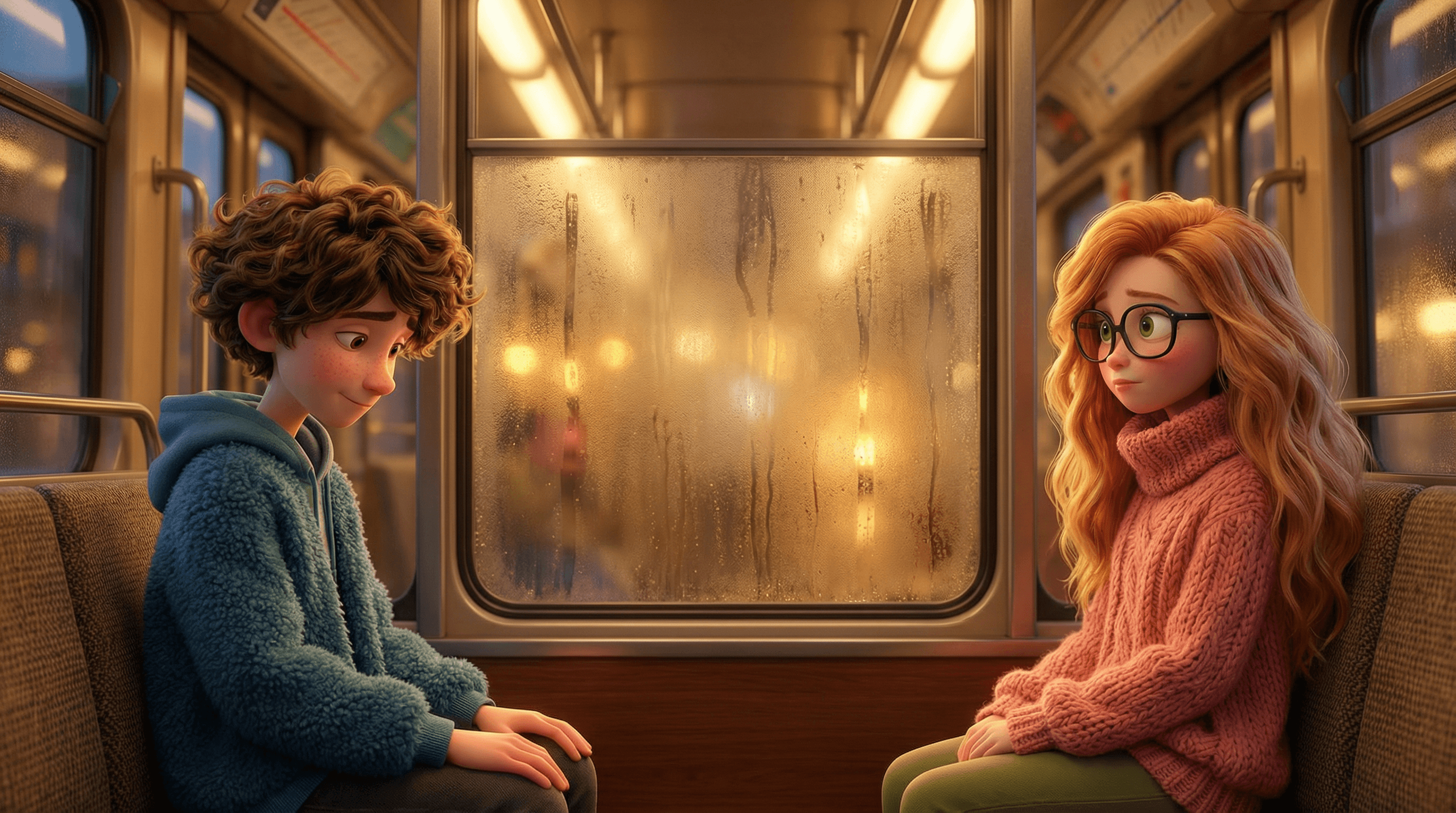
FOG is built around a simple constraint: two strangers sit face-to-face in a tram, and their relationship begins through a small ritual, drawing on the fogged shared window between them.
The drawings are playful at first: a heart, a star, a planet, a tiny universe. The “magic” is subtle: the fog clears at stops and erases everything, which becomes a metaphor for fragile moments and things left unsaid. Then the story takes its turn:
One day, the boy doesn’t appear.
When he returns, it’s clear something is wrong.
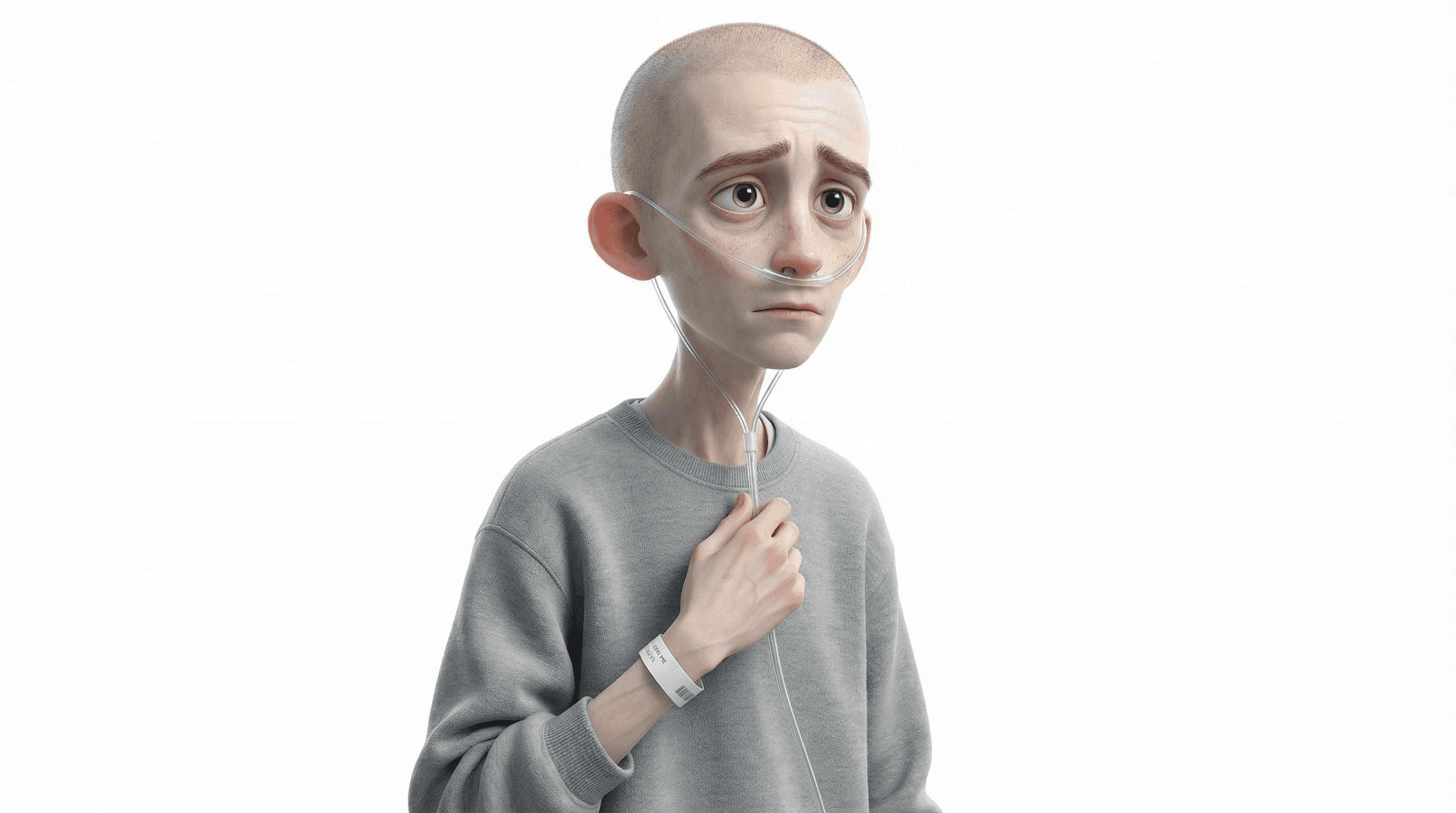
He’s sick. Weak. His hand trembles. He can’t draw.
The girl guides his hand so they can draw together again.
The next day, the seat opposite is empty forever.
In the final sting, a tiny heart appears on the fog by itself… and fades.
It’s simple on purpose and that simplicity helped me actually finish.
My tool stack (and why multiple tools mattered)
I used a mix of tools for different parts of the workflow:
Nano-Banana Pro (Gemini 3 Pro): story exploration, prompt iteration, structure, and polish.
Midjourney v7: character and look development (finding the visual DNA and refining details).
Sora 2 Pro: generating video shots and experimenting with cinematic motion.
Veo 3.1: alternative video generation and iteration routes when certain shots needed different behavior.
I learned quickly that there isn’t “one tool that does it all” (yet). Different models behave differently with faces, motion, lighting, and continuity. The best results came from treating this like a creative pipeline, not a one-shot prompt.
How I approached the workflow
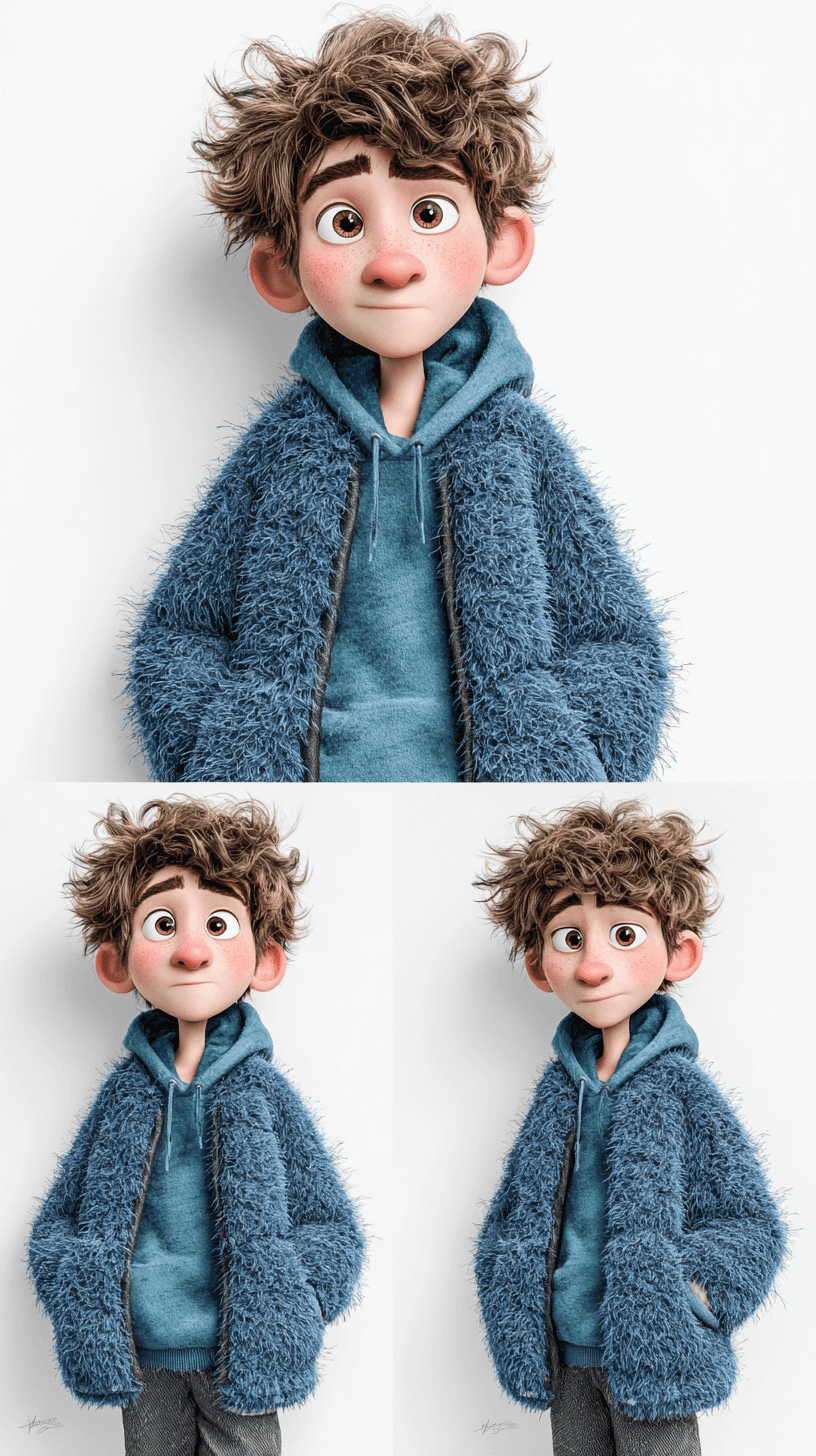
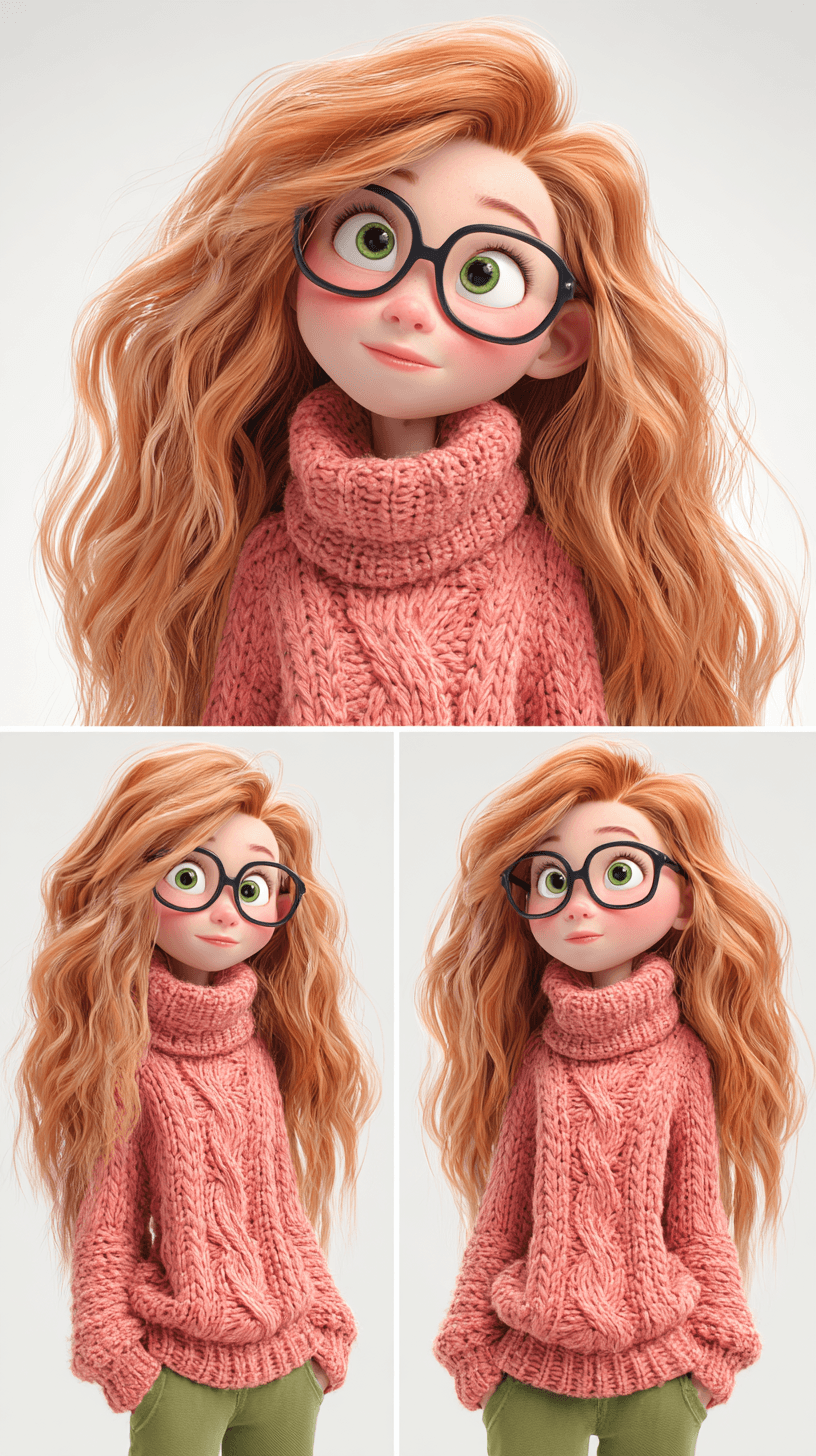
1) I started with characters, not plot
Before I fully locked the story, I focused on the characters because character consistency is one of the hardest problems in AI animation. If your characters drift, the viewer stops believing the world. So I created a character “anchor”:
Outfit details that don’t change (colors, textures, accessories)
Signature hair shape and silhouette
Clear style references: high-end 3D animated feature look, soft lighting, detailed fabric fibers
Once the characters felt stable, the story could be built around them.
2) I designed the story around AI’s strengths
AI video is great at:
Mood
Atmosphere
Cinematic lighting
Micro-emotions
Simple motion loops
AI video struggles with:
Consistent identity across many cuts
Smooth temporal continuity
Repeating the same place with the same camera reliably
Hands doing precise actions without drifting
So I built FOG to lean into strengths:
A single primary location (tram seating bay)
Repeated motif (fogged glass drawings)
Short scenes (2–5 seconds)
Minimal dialogue
Emotion shown through faces + tiny gestures
This was a huge lesson: write for the medium you actually have, not the medium you wish you had.
3) I storyboarded in “micro-scenes”
Instead of thinking like: “I need a 90-second animation,” I thought like:
“I need 25 micro-scenes of 3–5 seconds each.”
That made everything easier:
Each shot had a single purpose
It was easier to regenerate one shot without breaking the whole film
The pacing naturally became cinematic
4) I locked a “style bible”
This was critical. I kept one block of text that I copied into nearly every prompt:
Style lock (high-end animated feature look, soft cinematic lighting, PBR textures)
Character descriptions (hair, outfits, proportions)
Do-not-change constraints (no text, no logos, no watermarks)
Location constraint (face-to-face seating bay with shared window)
That repetition is boring, but it’s how you fight drift.
The hardest part: smooth transitions and continuity
This was the biggest challenge by far. Even when each shot looked good on its own, the sequence could feel wrong because:
The boy’s face subtly changed
The girl’s hair volume shifted
The lighting jumped between angles
The tram interior layout moved
The camera felt like it teleported
And when your story is built on quiet emotions, a jarring cut can destroy the mood instantly.

What helped improve transitions
Here are the tactics that made a noticeable difference:
Reuse the same camera framing repeatedly
I used the same “face-to-face bay” composition over and over. Repetition became a style choice and a continuity hack.Keep shot durations very short
3–5 seconds per shot reduces the window where drift becomes noticeable.Avoid complex choreography
Small gestures are more reliable than walking, turning, or interacting with multiple objects.Use matching lighting language
I kept the interior warm and the exterior cold almost all the time. That consistency makes cuts feel intentional.Generate “plate-like” shots
When possible, I created shots that behave like stable plates: locked camera, subtle motion, predictable environment.
Even with all that, it still took a lot of iteration. It made me realize that temporal consistency is the missing unlock for AI filmmaking right now.
AI can generate beautiful images.
AI can generate decent clips.
But stitching clips into a coherent emotional sequence is still… a craft.
What I learned (the big takeaways)
1) Constraints are not limiting, they’re freeing
FOG worked because it embraced constraints:
one location
one motif
two characters
tiny actions
short runtime
The moment I tried to expand beyond that, quality and consistency dropped.
2) AI filmmaking is closer to directing than animating
I wasn’t “animating” frame by frame. I was:
directing mood
directing camera
directing performance
directing composition
curating takes
It felt like being a director with an infinite number of imperfect takes.
3) The story must survive imperfections
If the story is strong, viewers forgive:
small continuity jumps
minor identity drift
imperfect hand motion
If the story is weak, viewers notice everything.
4) Emotional clarity matters more than visual complexity
The strongest moments in FOG are extremely simple:
the first heart
the first smile
the empty seat
the trembling hand
the guided drawing
the heart appearing and fading
That’s what people remember.
5) You need a repeatable system
Without a workflow system, you’ll drown in iterations. For me, the “system” became:
style lock block
micro-scene list
consistent camera compositions
minimal actions per shot
edit-focused thinking early
What I’d do differently next time
If I made FOG again (or if I create FOG 2.0), I would:
Create a character sheet first (front/side/3/4, expressions)
Generate a tram environment kit (same bay, multiple lighting conditions)
Define 3–4 standard camera angles and stick to them
Build a stronger continuity checklist before generating new scenes:
hair shape consistent?
clothing textures consistent?
seat layout correct?
window position consistent?
lighting warm/cold consistent?
This would reduce rework and improve the final polish.
My next step
FOG was the proof-of-concept. The next step is to level up from “one film” to a repeatable AI animation pipeline.
Here’s what I want to do next:
1) Build a mini “AI animation production pipeline”
Character bible template
Environment bible template
Shot list template (micro-scenes)
Prompt library (camera, lighting, motion types)
Versioning system for shots and edits
2) Make a second short with slightly higher ambition
Not longer, just slightly more complex:
2 locations instead of 1
3 characters instead of 2
A stronger secondary motif (sound, object, or recurring visual cue)
3) Push for better transitions
I want to experiment with:
more consistent camera movements
match cuts and visual anchors
“bridge shots” that hide discontinuities
smoother motion continuity between clips
4) Share learnings publicly
I’m planning to:
write more behind-the-scenes posts
share prompt patterns that work
document mistakes so others can avoid them
Because this space is moving fast, and the best creators will be the ones who develop a workflow, not just a cool demo.
Final thoughts
I’m proud of FOG, not because it’s perfect, but because it’s finished — and because it proved something important to me:
You don’t need a giant studio to make an emotional story. But you do need:
a clear concept
smart constraints
patience with iteration
and a workflow that respects AI’s current limits
AI models will get more accurate. Transitions will become smoother. Consistency will improve and when that happens, storytelling is going to explode. For now, I’m happy with the end result and even happier with what I learned.


